Say What You've Done.
Send a CV That Fits on One Page.
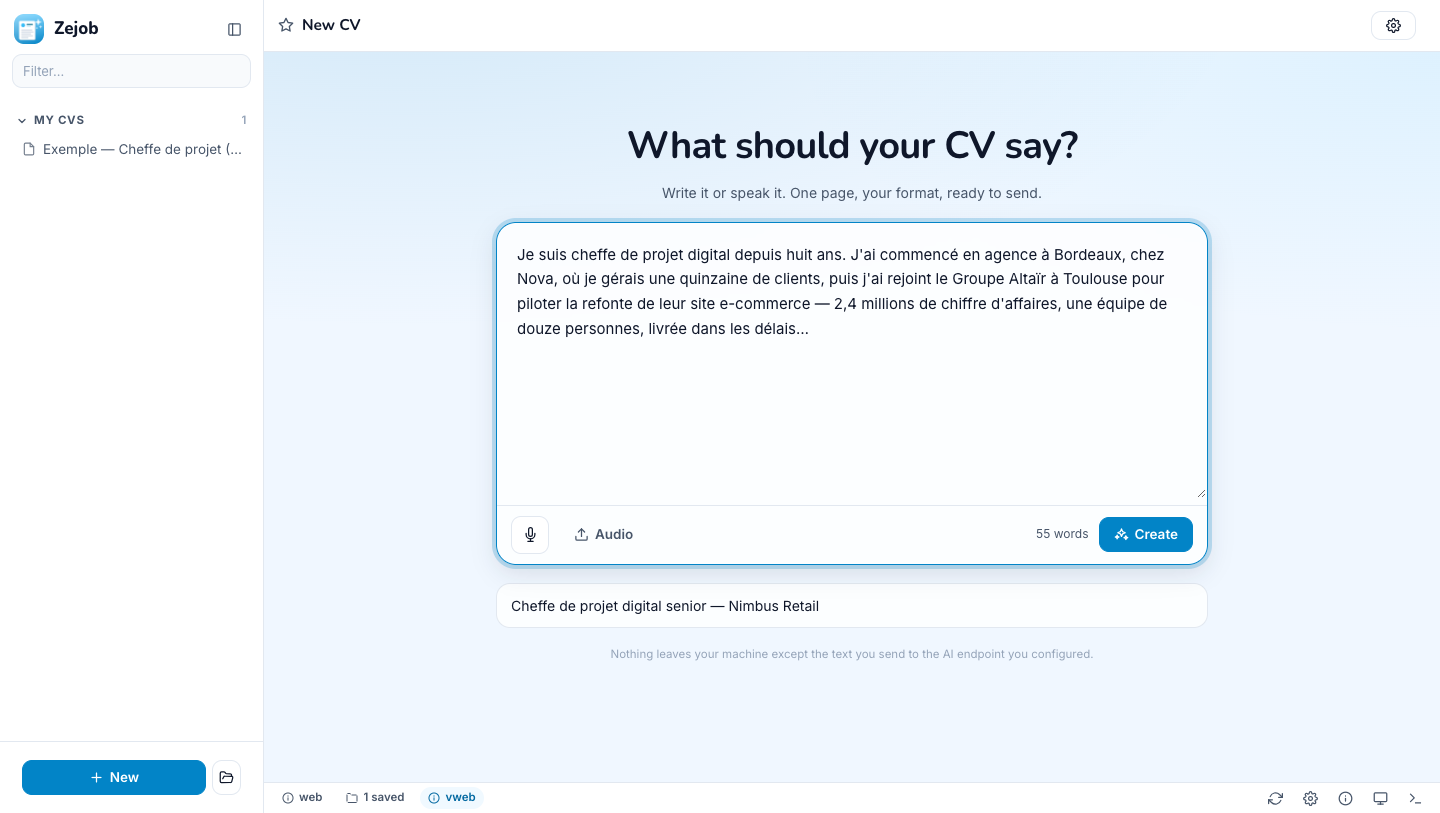
Zejob opens on an empty box. Type, or talk the way you'd tell a colleague — where you worked, what you actually achieved, what you studied. Zejob drafts the CV, shows your words in twenty of the most widely used formats, asks the few questions that would make it better, and hands you a PDF or a DOCX. It never invents an employer, a date or a number: a thin CV is better than a fabricated one.
A CV builder
shouldn't make things up.
Online CV tools invent achievements, pad summaries, upload your career to someone's server and hand back a two-page template you'll shorten by hand. Zejob's answer: your own words, one AI rule — never invent — a layout engine that fits one page as a constraint rather than a hope, and plain files on your own machine.
Nothing invented
Every prompt carries the same rule: no employers, dates, degrees, numbers or certifications the source didn't give. If you didn't say it, the field stays empty — and the interview asks you for it instead.
One page, honestly
The engine measures text with the PDF's own font metrics before drawing it, then searches for the largest size that fits — up to 11 pt, never inflated past it. A CV that truly can't fit flows onto a numbered second page; it never silently spills.
A preview that doesn't lie
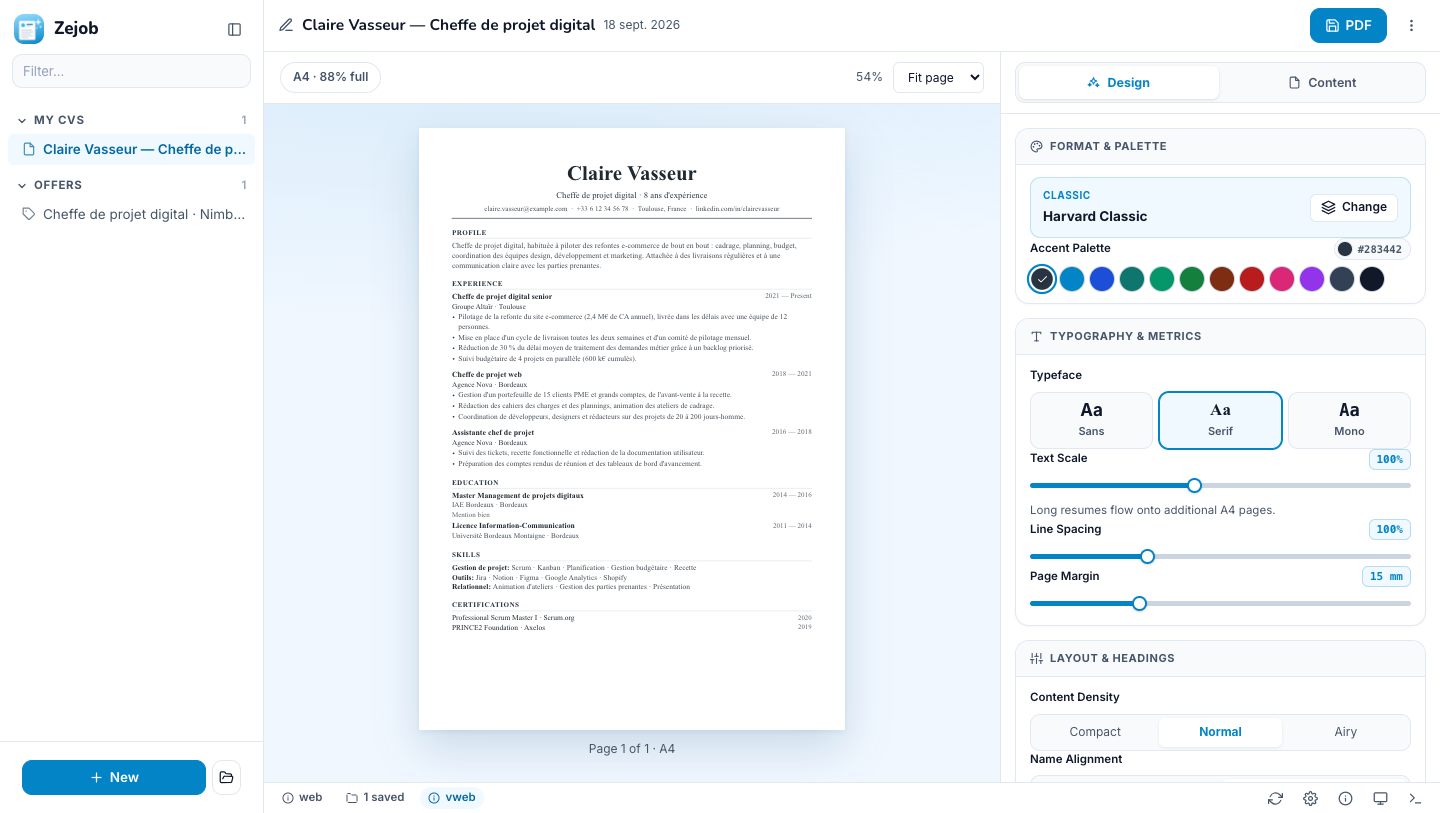
The studio draws the exact element list the PDF writer draws — same positions, same line breaks, same fonts. It is the PDF, not an impression of it.
Your AI, your machine
Point it at any OpenAI-compatible endpoint — OpenAI, a company gateway, or Ollama on your laptop. Nothing leaves your computer except the text you send there. Projects are plain text files in ~/.zejob.
See it in Action
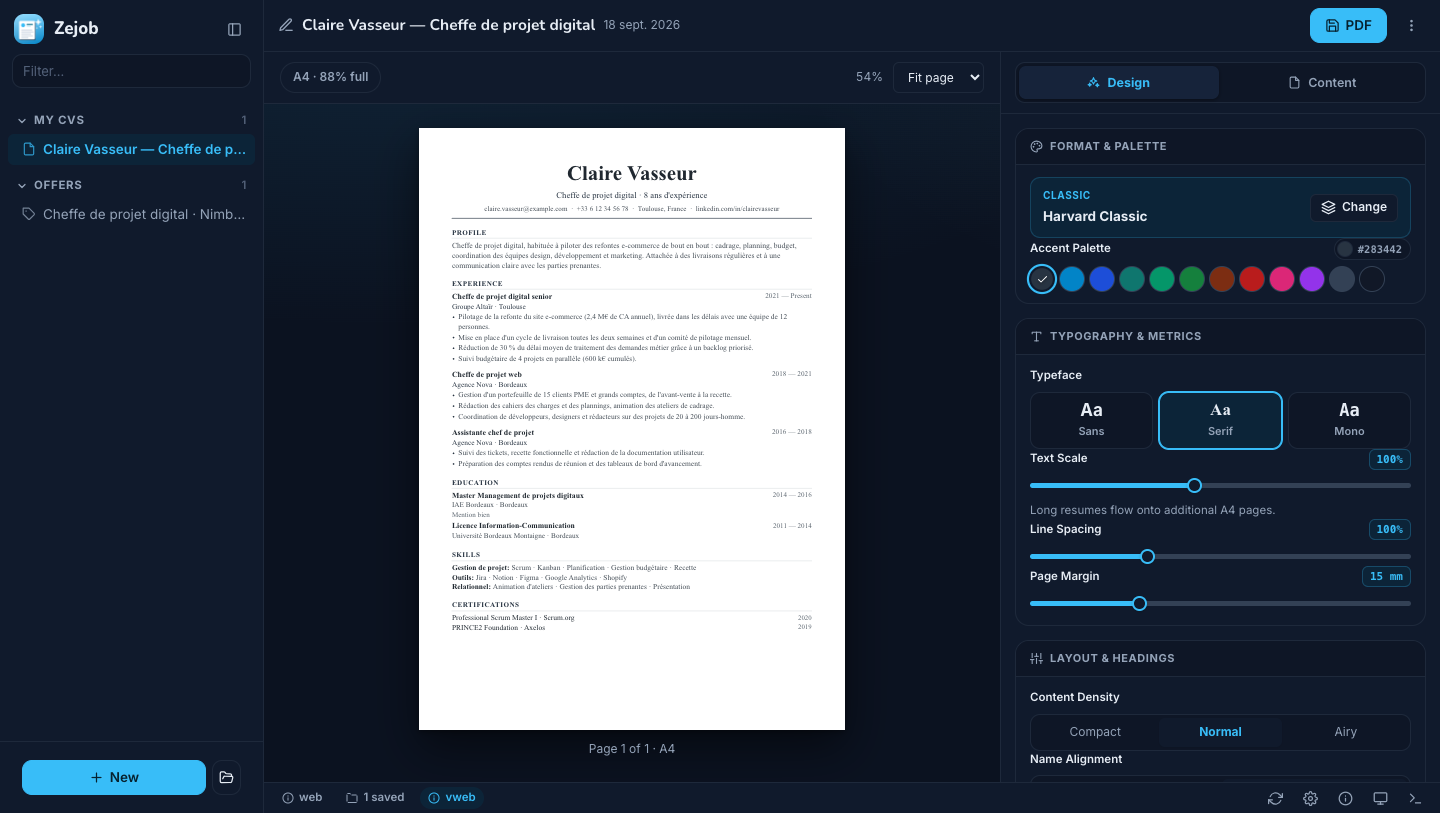
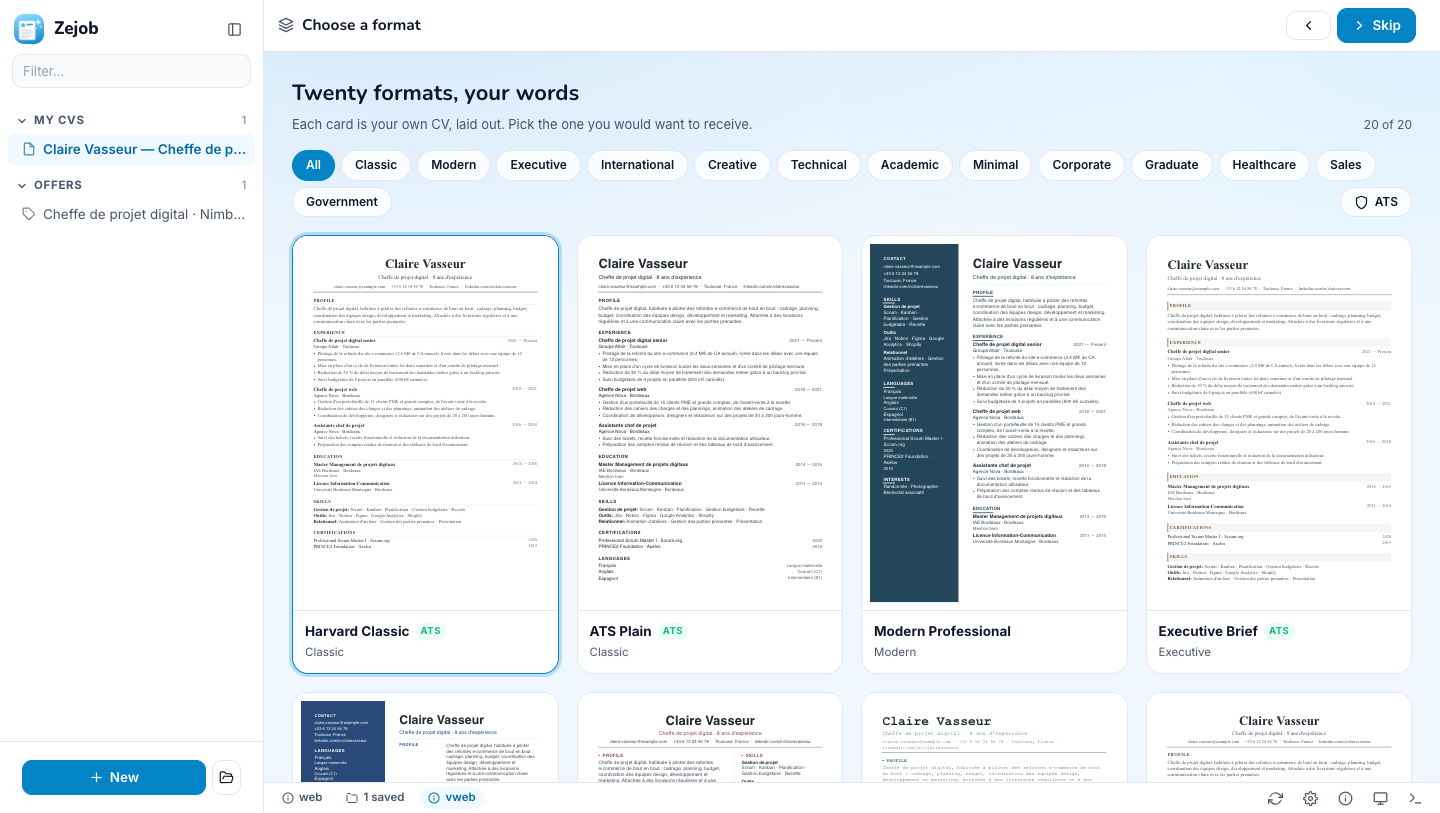
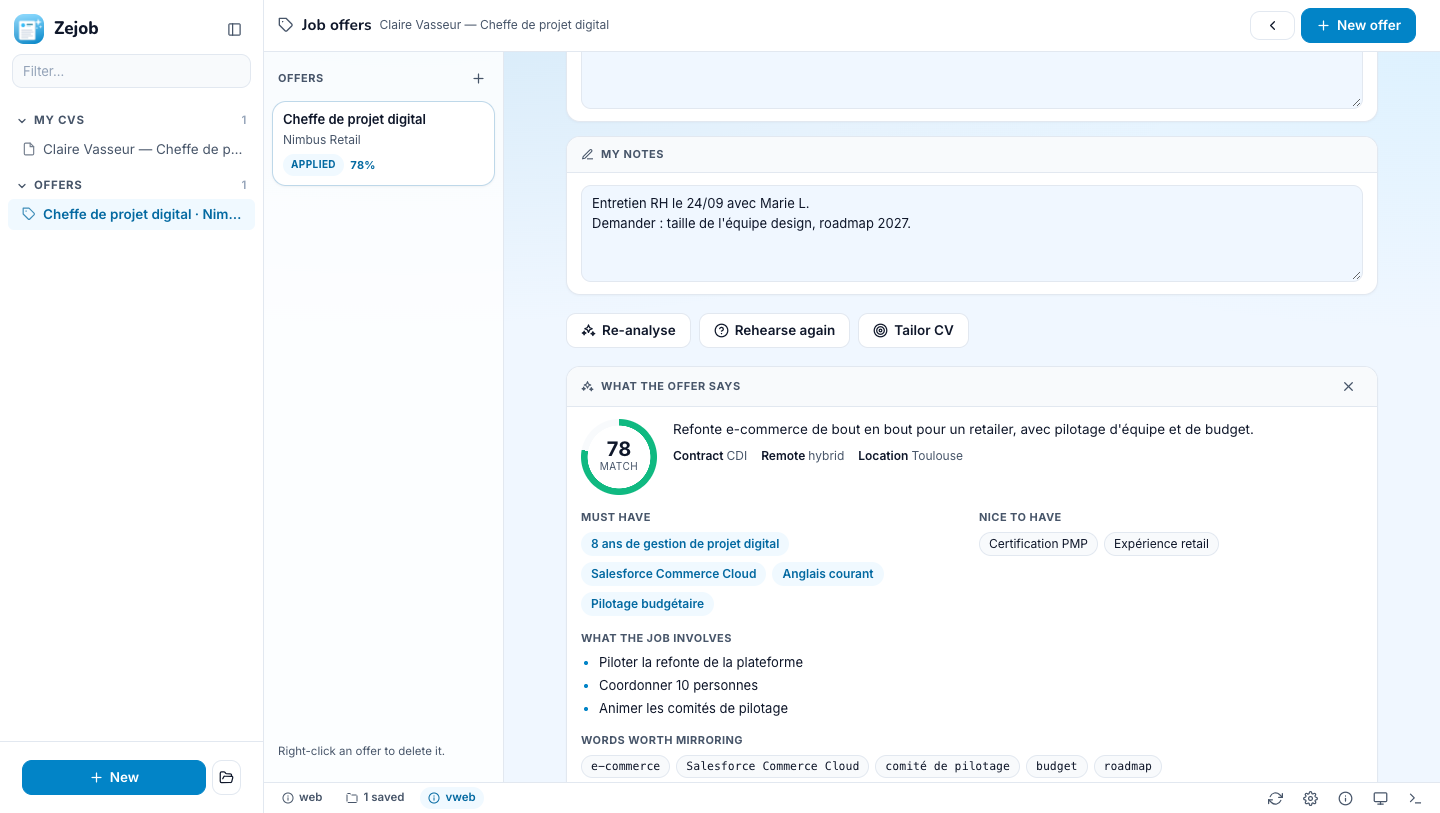
Real renders of the app — the studio in light and dark, the gallery, the offers notebook.
Four steps, then a PDF
Nothing on the way is required except the words.
Say it
One box. Type, dictate up to five minutes, or drop in an audio file. Ramble, repeat yourself — the AI sorts it out. Paste the job advert you're aiming at, if you have one.
Pick a format
Twenty cards, each one your CV laid out in that format by the same engine that writes the PDF. Filter by family or by "survives résumé parsers". Choosing between twenty renderings of your own text is a decision, not a guess.
Answer a few questions
The AI asks about the gaps that would embarrass you: a missing end date, an achievement with no number, an empty skills list. Type, accept a drafted suggestion in one click, or talk. Skip any of them.
Adjust and export
Accent, typeface, text size, spacing, margin, density, heading style, which sections show and what they're called — every change refits the page live. Edit the words in the Content tab. Then take the PDF or the DOCX.
The Twenty Formats
The most widely used CV shapes in the world, ranked by how often they're asked for. No two share the same six visual traits and section order — every card is a genuinely different CV.
Harvard ClassicATS
Single column · serif · normal
The reverse-chronological standard taught by career offices. Serif, centred name, ruled headings.
ATS PlainATS
Single column · sans · normal
Stripped to what a résumé parser reads. No columns, no colour, no graphics — the safest possible format.
Modern Professional
Left sidebar · sans · normal
Coloured left column for contact, skills and languages; experience gets the full right-hand width.
Executive BriefATS
Single column · serif · airy
Senior-level layout: a wide summary, achievements over duties, generous white space.
Europass Style
Left sidebar · sans · compact
The European public-sector shape: photo, structured personal block, languages given real estate.
Creative Duo
Two columns · sans · compact
Two balanced columns under a bold name block — for portfolios, agencies and studio roles.
Developer TerminalATS
Single column · mono · compact
Monospaced, dense, stack-first. Skills and projects sit above employment history.
Academic CVATS
Single column · serif · compact
Serif, education first, room for publications and certifications. Built for faculty and research posts.
Elegant Banner
Banner header · sans · normal
An inset colour band carries the name and contact details; the body stays clean and single-column.
Swiss MinimalATS
Single column · sans · airy
Typography doing all the work: one weight, one rule, ruthless spacing. Nothing decorative.
Corporate Blue
Right sidebar · serif · normal
Right-hand column for the scannable facts, left for the narrative. The banking and consulting default.
Startup CompactATS
Single column · sans · compact
Impact-first and deliberately short: summary, what you shipped, then the rest at a glance.
Graduate EntryATS
Single column · sans · normal
For a first job: education leads, projects and coursework fill the space experience cannot.
Designer Grid
Left sidebar · sans · airy
A wide accent sidebar as a design element in itself, with the portfolio link given prominence.
Consultant Case
Right sidebar · sans · compact
Achievement bullets framed as cases, with certifications and languages kept in view on the right.
Clinical RecordATS
Single column · serif · compact
Licences and certifications sit high, headings run down the left margin — the shape clinical panels expect.
Sales Impact
Banner header · sans · compact
Numbers first. A bold banner, a metrics-led summary and tightly-set achievement bullets.
International ProfileATS
Two columns · serif · normal
Built for cross-border applications: languages and mobility are first-class, headings stay neutral.
Infographic Light
Left sidebar · sans · compact
Language levels drawn as bars, everything else kept text-only so it still parses.
Detailed RecordATS
Single column · serif · compact
The long-form shape public-sector and federal applications expect: every section, nothing abbreviated.
The ATS badge marks formats that survive résumé parsers without losing structure.
Keep the job offers
beside the CV they're for.
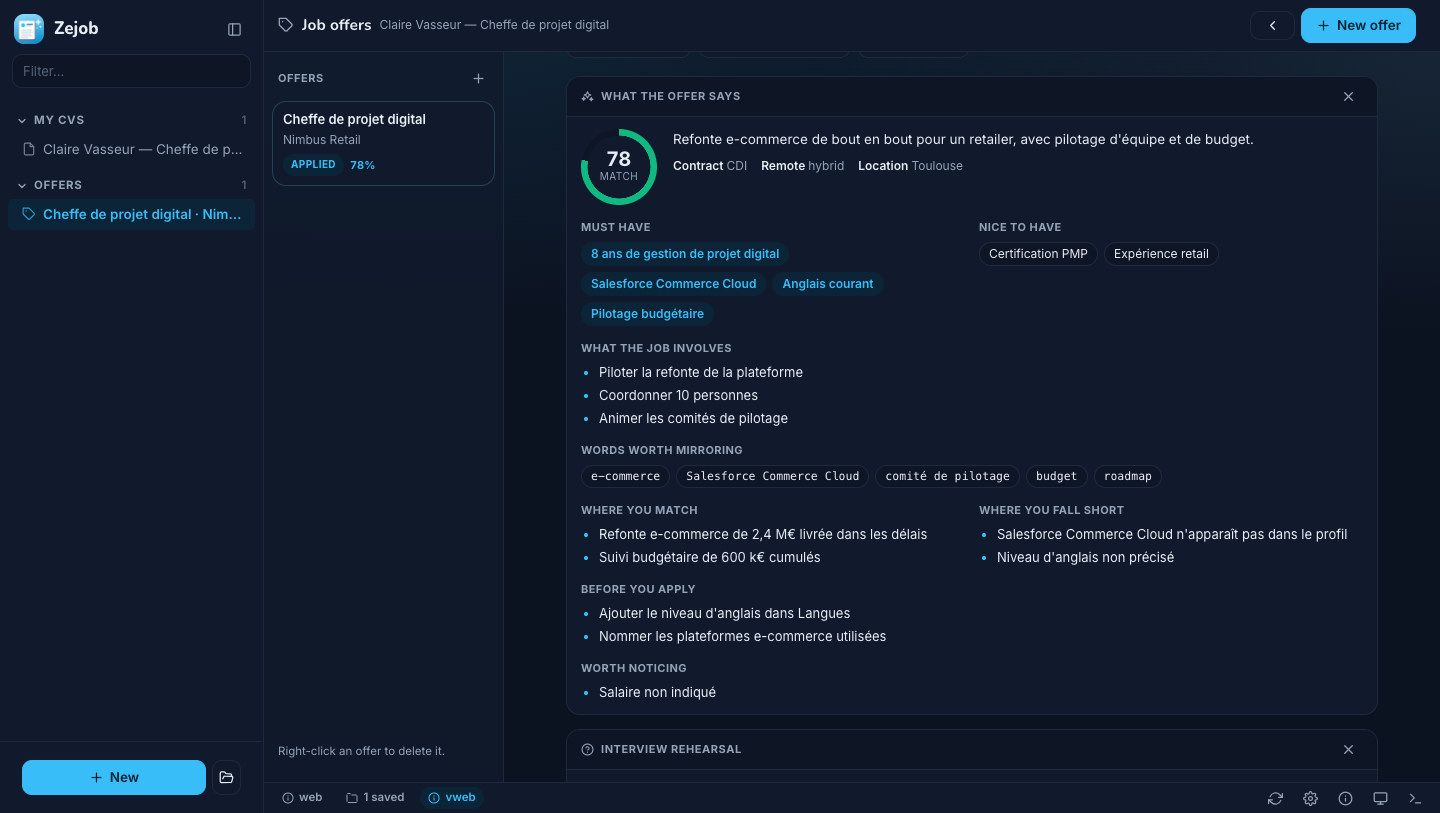
Every CV carries a notebook of the jobs it targets. Paste the advert and your own notes — the phone screen, the contact, the date — track where the application stands, then let the AI read it for you.
-
✨
Analyse. The must-haves, the nice-to-haves, the words a parser scans for, the red flags — and a 0–100 match score against your CV, with where you fit, where you fall short, and what to change before applying.
-
🎯
Prepare the interview. A 30-second pitch, the questions they'll ask — including the awkward ones about the gaps — with talking points drawn from your CV, questions to ask them, and the achievements worth turning into stories.
-
✂️
Tailor the CV. Re-angle this CV — or a copy of it, so the original stays — towards that one offer: relevant experience first, the advert's vocabulary where it honestly applies, nothing dropped, nothing invented.
A CV is a
.zj file.
Every project is one readable text file — a strict subset of YAML, so any YAML tool reads it too. Two-space indentation, |- for paragraphs, empty fields simply absent. Edit it by hand and press ⌘R; the app re-reads it and the disk wins.
- →Export and import. Move a CV and its offers to another machine, or hand it to someone, as one file. Importing never overwrites: a clash lands as a labelled copy.
- →Diff it, back it up, script it. It's text. Git understands it.
- →Reusable. Duplicate a project for a different application, re-angle it at a new advert, or move it to another format — your customisations survive the switch.
Everything You'll Love About Zejob
Simple, but not simplistic.
Dictation that works
Five minutes of speech, captured as WAV and sent to the speech model you configured — Whisper, Parakeet, whatever your endpoint offers. Long recordings are chunked so nothing is cut off.
Measured, then drawn
Line breaking happens with the real Adobe font metrics of the PDF faces, accents included — that's what keeps a French CV inside its column instead of overflowing on the printer.
PDF and DOCX
The PDF is the page, exactly as previewed. The DOCX is a reflowing single column carrying the template's font, accent and section order — the better artefact for a format that has no absolute positioning.
A photo, where it belongs
Pick a photo once in Settings; formats that show one crop it round or square. Hide it for the markets where a photo is a liability.
Your language
The CV comes out in the language you spoke or wrote in — or in the one you pick in Settings. Language levels are drawn as bars where the format wants them.
Kawaii ice, light or dark
An icy, frosted interface built on zesdk, the Ze family's UI kit — no framework, no build step. Follows the system theme, or pick one.

Download Zejob ⭐️
Free. No account, no sign-up, no subscription. Bring your own AI endpoint — OpenAI, a gateway, or a local model — and your CVs never leave your machine.